

Sildur's Vibrant Shaders | Cinematic Shaders
Sildur's Vibrant Shaders overhaul Minecraft lighting with volumetric light, bloom, reflections, and waving foliage across Lite to Extreme presets.
Sildur's Vibrant Shaders is one of the most installed shader packs for Minecraft Java Edition, built to run on almost anything from Intel integrated laptops to high-end desktop GPUs. It reworks the game's lighting from the ground up, layering volumetric light, bloom, reflections, and waving foliage over your world while keeping performance usable. Pick a preset that matches your hardware, then tune the rest in the in-game shader options menu.

What Sildur's Vibrant Shaders Does
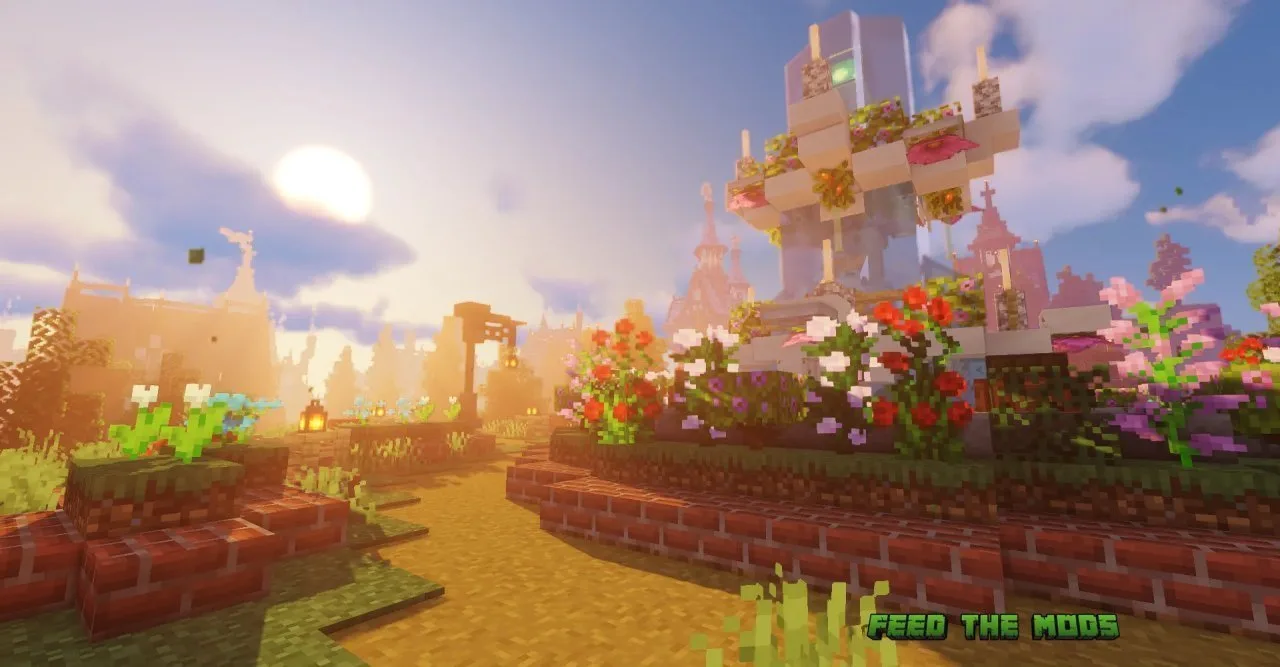
This pack grew out of the old GLSL shaders project and now ships as a standalone shaderpack for Iris and OptiFine. Instead of swapping textures, it rewrites how light behaves in the scene. God-rays scatter through trees and water, bloom lifts the glow off torches and lanterns, and ambient occlusion deepens the corners where blocks meet. Water picks up sky and block reflections, and underwater surfaces get refraction and caustics. Lit furnaces, smokers, and soul lanterns emit real light, and grass, leaves, flowers, and nether vines sway as you walk past.
Presets From Lite to Extreme
The same download covers weak and powerful hardware through a tiered preset system. Lite targets Macs and Intel integrated graphics. Medium runs well on entry-level cards, and a GTX 960 handles it comfortably. High steps up to modern mid-range GPUs, while High + Motion Blur adds the optional motion blur effect. Extreme and Extreme + Volumetric Lighting push full god-rays and the heaviest effects for high-end rigs. Every effect is tunable in the Shader Options menu, so you can drop depth of field, cel-shading, or cross-process color grading without switching packs.
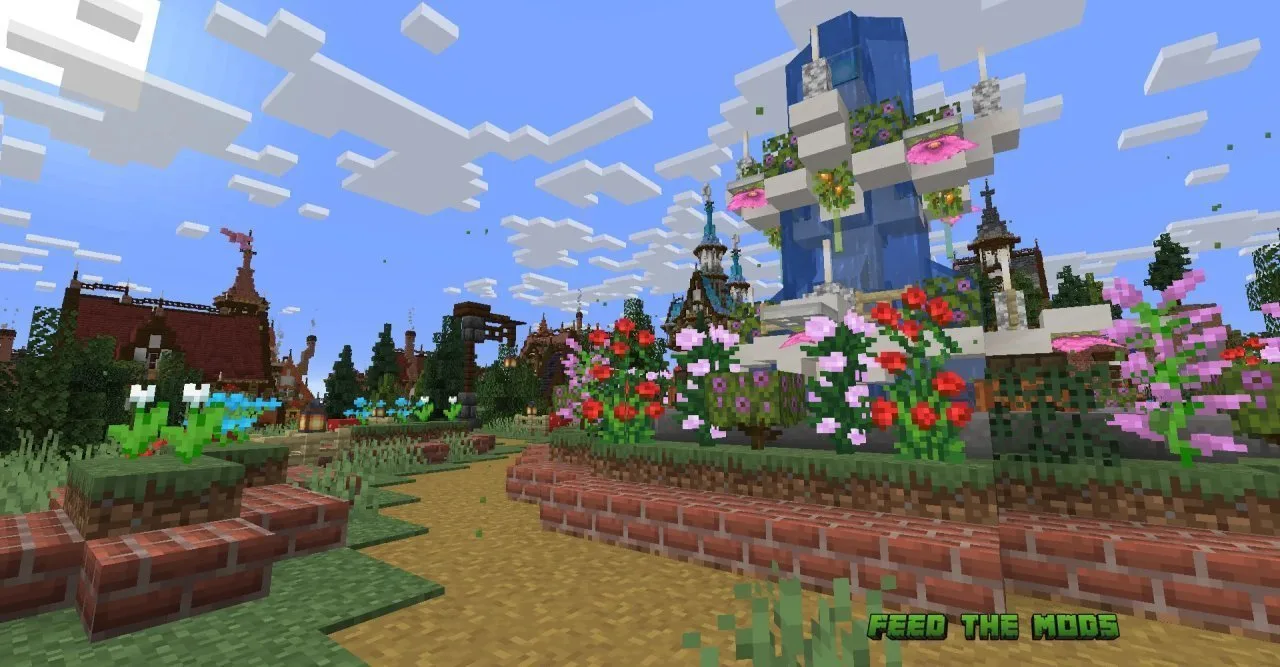
Before and After Screenshots
<img-comparison-slider />
</img-comparison-slider>


How to Install Sildur's Vibrant Shaders
Install a shader loader first. Iris is the modern, better-performing choice and fits most modpacks. OptiFine exposes more granular shader settings. Our Iris install guide and OptiFine setup guide walk through both.
Manual install is straightforward. Drop the downloaded .zip into your shaderpacks folder and do not unzip it. With Iris, open the folder from Options > Video Settings > Shader Packs, then pick the pack and click Apply. With OptiFine, use Options > Video Settings > Shaders > Shaders Folder, then select it in the same menu.
Compatibility and Performance Tips
The pack runs on Iris and OptiFine across PC, Mac, and Intel GPU systems, with AMD, Apple, Intel, and NVIDIA drivers supported. It also pairs with Distant Horizons for extended render distance, and recent builds add Voxy support, though some reflection issues still show in the End. If frames drop, lower your render distance, disable Volumetric Lighting, or step down a preset. A black screen or broken textures usually means outdated GPU drivers. Update them, then try the other loader. Reset shader settings to default to clear odd water or sky artifacts left by conflicting resource packs.
FAQ
Iris or OptiFine for Sildur's Vibrant Shaders?
Either works. Iris runs faster and fits most modpacks. OptiFine gives deeper shader settings menus. Use whichever your setup already has, and see our OptiFine overview for the details.
Which preset should I pick?
Start at Medium if you have a dedicated GPU, or Lite on a Mac or Intel laptop. Move up to High or Extreme only when your framerate stays comfortable.
Does it work with Distant Horizons?
Yes. The pack supports Distant Horizons for larger render distances, and newer builds add Voxy support. A few reflection glitches remain in the End dimension with Voxy enabled.
Is Sildur's Vibrant Shaders still maintained?
Yes. The latest release landed in June 2026, and the developer keeps pushing compatibility fixes and new features. Full release notes live on the official Sildur's shaders site.
Can I use it on Bedrock or Pocket Edition?
No. This is a Java Edition shaderpack. Bedrock uses a separate resource pack format. For a similar look on Java, our BSL Shaders and Complementary Shaders pages cover two popular alternatives.
Discussion
No comments yet
Be the first to start the discussion.


