

Universal Graves | Death Chest Mod
Universal Graves is a death chest mod for Minecraft that stores your items on death, guides you back with a compass, and lets you tune every grave detail.
 Fabric
 Quilt
QuiltUniversal Graves is a death chest mod for Minecraft that catches your inventory the moment you die and locks it inside a grave you can return to. Instead of watching your gear despawn or scatter across the floor, you get a clear marker, a chat message with the coordinates, and a compass that points straight back. Every part of that experience, from the block the grave uses to the hologram floating above it, is configurable.
What the Grave Does When You Die
The moment death triggers, the mod places a grave at your location and captures your items and a share of your experience into it. A chat message prints the coordinates, the dimension, and how long the grave stays protected before other players can loot it. You also receive a death compass that points toward the spot, so even in unfamiliar terrain you have a reliable way back.


When you reach the grave and click it, a GUI opens with your stored items, the grave details, and options to take the items, drop the protection, or break the grave once the protection window has ended.


How Universal Graves Keeps Your Loot Tunable
The mod is built around deep customization, and almost nothing is hard-coded.
- Messages and holograms. Edit the chat alerts and the floating hologram text to show the player name, death cause, position, protection time, item count, and more through simple placeholders.
- Protection timers. Set how long a grave blocks other players, whether attackers in PvP can bypass it, and whether items drop or vanish when the timer runs out.
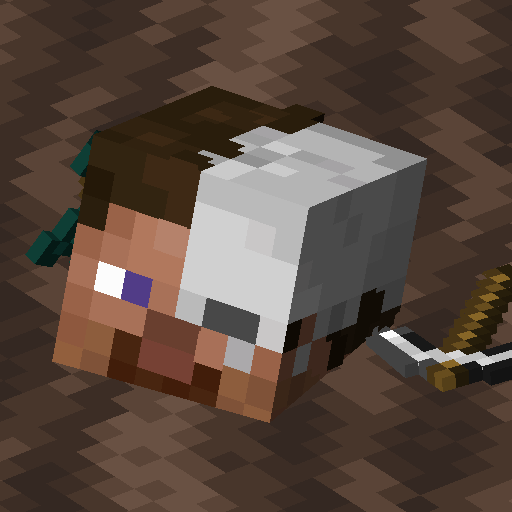
- Grave models and blocks. Swap the default skeleton skull look for custom models, and choose which block represents the grave on the ground.
- Teleport and quick pickup. With the right permission you can teleport to any grave, and shift-clicking an empty hand lets you grab the contents fast.
- Server-side by default. The mod runs purely on the server. Players can join without installing anything client-side, though custom models do need the mod on the client to render correctly.
Commands You Will Actually Use
The mod adds a small set of focused commands, each gated behind a permission so server owners control who can do what.
/graveslists your own graves and their status.

/graves modifyopens a GUI listing your graves so you can change them.

/graves reloadreloads the configuration and style files without a restart.

Installing Universal Graves
This is a Fabric and Quilt mod, so start by setting up Fabric or Quilt for your game version. If you want a full walkthrough covering folder placement and launcher setup, see the general how to install Minecraft mods guide.
- Drop the matching JAR into your
modsfolder. - Launch the game once so the default config generates at
config/universal-graves/config.json. - Edit the config to set protection timers, hologram text, grave models, and permissions to taste.
- Restart, and your next death will produce a protected grave instead of a scattered pile of items.
Because the logic runs server-side, you only need the mod in the server mods folder for multiplayer. Add it to the client too if you want custom models and holograms to render for everyone.
Frequently Asked Questions
Does Universal Graves work without installing it on the client?
Yes. The core logic runs server-side, so vanilla clients can join a server running the mod and still get graves, chat alerts, and the death compass. The only reason to add it client-side is to see custom grave models and holograms rendered correctly.
Can I change how long a grave stays protected?
You can. The config exposes separate timers for protection against other players and for self-destruction, and you can decide whether items drop or disappear when a grave expires.
What happens to my experience points?
The mod stores a configurable share of your experience, with options for vanilla behavior, a flat drop, or a percentage of your points or levels. You pick the mode in the storage section of the config.
Is Universal Graves still maintained?
The project saw a new release in 2026, so development is current. Check the project page for the latest version and compatibility notes before you update.
Where do I report bugs or get help?
The source repo is hosted on GitHub under Patbox, and that is the place to file issues. There is also an active Discord community linked from the project page for setup questions.
Compatibility & downloads
Showing 20 of 33 MC versions.
Discussion
No comments yet
Be the first to start the discussion.


