

VFX Generator | Visual Effects Block Mod
VFX Generator Mod adds a Visual Effects Generator block that spawns colored particle effects you can shape, color, and trigger with redstone in Minecraft.
 Forge
Forge NeoForge
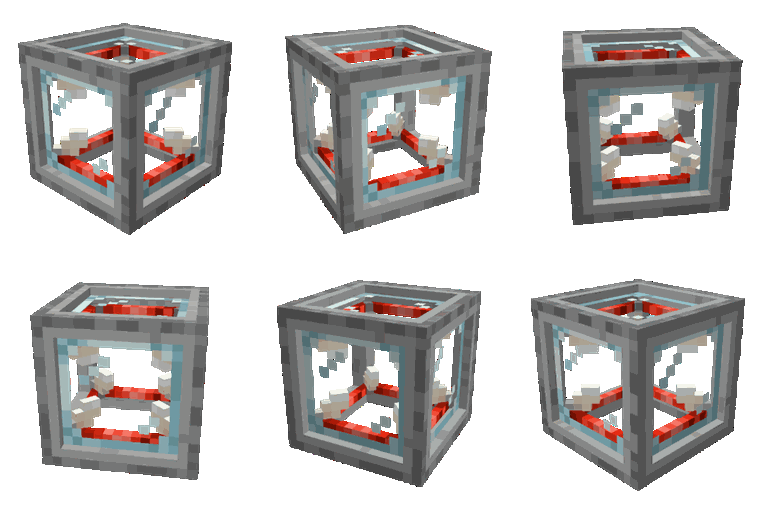
The VFX Generator Mod drops a single new block into your world, the Visual Effects Generator, and turns it into a sandbox for custom particle shows. You build the block, tune the look in its GUI, and feed it a redstone signal to play the effect on demand. It is a small, focused tool for mapmakers, cinematic builders, and anyone who wants more flair than a plain end rod.
What the VFX Generator block does
The mod adds one crafting centerpiece: the Visual Effects Generator. Right now that block emits particle effects, and the author has signalled more effect types down the road. The core idea is giving you fine control over how those particles look and where they appear, so you can stage celebrations, ambient moods, or scripted cues without command blocks.
Crafting the generator core and block
Work starts with the generator core, which takes 4 Redstone Blocks, 4 End Rods, and 1 Glass Block.

With the core in hand, surround it with 4 Smooth Stone blocks to craft the VFX Generator itself.

Tuning effects in the GUI
Right-click the placed block with an empty hand to open its GUI. From there you set the shape, color, duration, and the position the effect spawns around the block. The sliders and pickers are the whole point of the mod, so spend a minute dialing in a look before you wire anything up.


Powering the generator with redstone
Once your effect looks right, close the GUI and feed the block a redstone signal. The generator plays the configured particles in the area you set, and it stops again when the signal drops. That makes it easy to tie effects to buttons, pressure plates, daylight sensors, or any redstone contraption you already run.


Installing VFX Generator
The block is a Forge mod, so install Forge first for the version you want to play, then drop the downloaded JAR into your mods folder. If you are new to loader setup, the how to install Minecraft mods walkthrough covers the folder layout, and the Forge overview page explains the loader itself. Load the world and craft the generator core to confirm everything landed.
Frequently asked questions
What does the VFX Generator block actually spawn?
It spawns particle effects. You pick the shape, color, duration, and spawn position in the GUI, then a redstone signal plays the effect in the area around the block.
Do I need any other mods for it to work?
No. The mod is self-contained. Install the matching Forge build for your game version, place the JAR in mods, and the block is craftable in survival.
Can I trigger effects without standing next to the block?
Yes. Because the block runs on a redstone signal, you can hook it to buttons, levers, pressure plates, or any redstone circuit and fire it from across a build.
Is the VFX Generator Mod still maintained?
The last release is from February 2024. It is stable for the versions it targets, but there has been no new file since then, so check the project page for current status before relying on future updates.
Compatibility & downloads
Discussion
No comments yet
Be the first to start the discussion.


