
Horror Elements | Spooky Decor Mod
Horror Elements Mod adds 45 horror-themed decorative blocks and 14 blood types to Minecraft, perfect for building haunted maps and eerie structures.
 Forge
Forge NeoForge
If you have ever faked a blood splatter with redstone dust or stacked skulls to pretend a massacre happened, you already know why this mod exists. Horror Elements Mod replaces those workarounds with a dedicated library of gory decorative props built for horror maps, haunted houses, and creepy survival builds.
What the Horror Elements Mod Adds
The mod drops 45 custom horror-themed blocks and models into your creative inventory. The lineup is built around corpses, heads, and gore props rather than new mobs or gameplay systems. The author started the project because he was tired of using redstone as a stand-in for blood, and that single frustration grew into a full horror prop pack.

We got beheaded corpses.

More corpses.

And seated corpses.

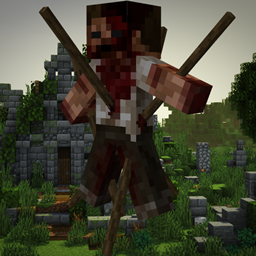
And even hanging and impaled corpses.

Oh, and a pig.

Each model is shaped to sit naturally inside a dim dungeon corridor or an abandoned slaughterhouse build. The mod also adds a set of atmosphere blocks meant to sell a scary, gory mood without you having to fake it with wool and redstone.


And let us not forget about the heads.


Blood Types and Gore Blocks
The signature feature is the 14 blood variants. Instead of one flat red splatter, you get different blood colors and states so every scene reads a little differently. Pool blood under a corpse, streak it across a wall, or layer it across a floor for a crime-scene look. No more redstone blood.

These are pure decoration. They deal no damage and trigger no status effects, so you can stage a haunted mansion without worrying about killing your visitors.
Building Haunted Maps with Horror Elements
The whole pack is aimed at mapmakers and decorators. Drop the props into a custom horror map to sell an unsettling tone that vanilla blocks cannot carry. Pair them with dim lighting and ambient sounds for a stronger effect. If you want more variety in your set dressing, the props stack nicely alongside other decoration packs like Dusty Decorations and structure builds such as Immersive Structures.
Installing Horror Elements
Installation is the standard Forge route. Install Minecraft Forge first, then drop the matching JAR into your mods folder. The same pack also ships a NeoForge build, so if your pack runs on the NeoForge project grab that version instead. The full walkthrough is in our how to install Minecraft mods guide.
Compatibility Notes
The mod is decoration only, with no required dependencies, so it layers cleanly on top of most modpacks. Because nothing hooks into mob spawning or combat, conflicts with gameplay overhauls are rare. There are no config toggles to fiddle with, every block is available straight from the creative inventory.
Horror Elements Mod FAQ
Is Horror Elements still being maintained?
Yes. The most recent release dropped on January 18, 2026, and the project has racked up over 13 million downloads. Check the project page for the current status if you need a newer build.
Does the mod add new mobs or mechanics?
No. Every block and model is decorative. There are no new entities, no combat changes, and no status effects. You are getting props, not gameplay.
Can I use it in a normal survival world?
You can. Everything is placeable in survival once you craft or find it, but the pack is balanced around creative-mode mapmaking. Most players use it for adventure maps and haunted house builds.
Do I need any other mods for it to work?
No. There are no required dependencies. Install your loader, drop in the JAR, and the blocks appear in your creative inventory.
Compatibility & downloads
Discussion
No comments yet
Be the first to start the discussion.


